
1
Paste or open
Add a social link or a local video or GIF.
TWITTER / X GIF DOWNLOADER & VIDEO TO GIF
Download GIFs and videos from X (Twitter), Facebook, TikTok, Instagram, Threads and Reddit.Or turn a video into a GIF in your browser.
 X / Twitter
 Facebook
 TikTok
 Instagram
 Threads
 Reddit
Your next GIF starts here. Add a link above or open a file below.
0 frames · Clip and GIF playback: up to 30 seconds · Up to 360 frames.
Make a GIF in your browser in three simple steps.
Add a social link or a local video or GIF.
Trim the clip, crop the picture, and adjust width, frame rate and playback speed.
Save the original video or your finished GIF.
Answers to common questions about video downloads and making GIFs.
Open a video post on X, Facebook, TikTok, Instagram, Threads or Reddit, then send it straight to GIF Downloader.
GIF DownloaderDrag the button to your bookmarks bar.
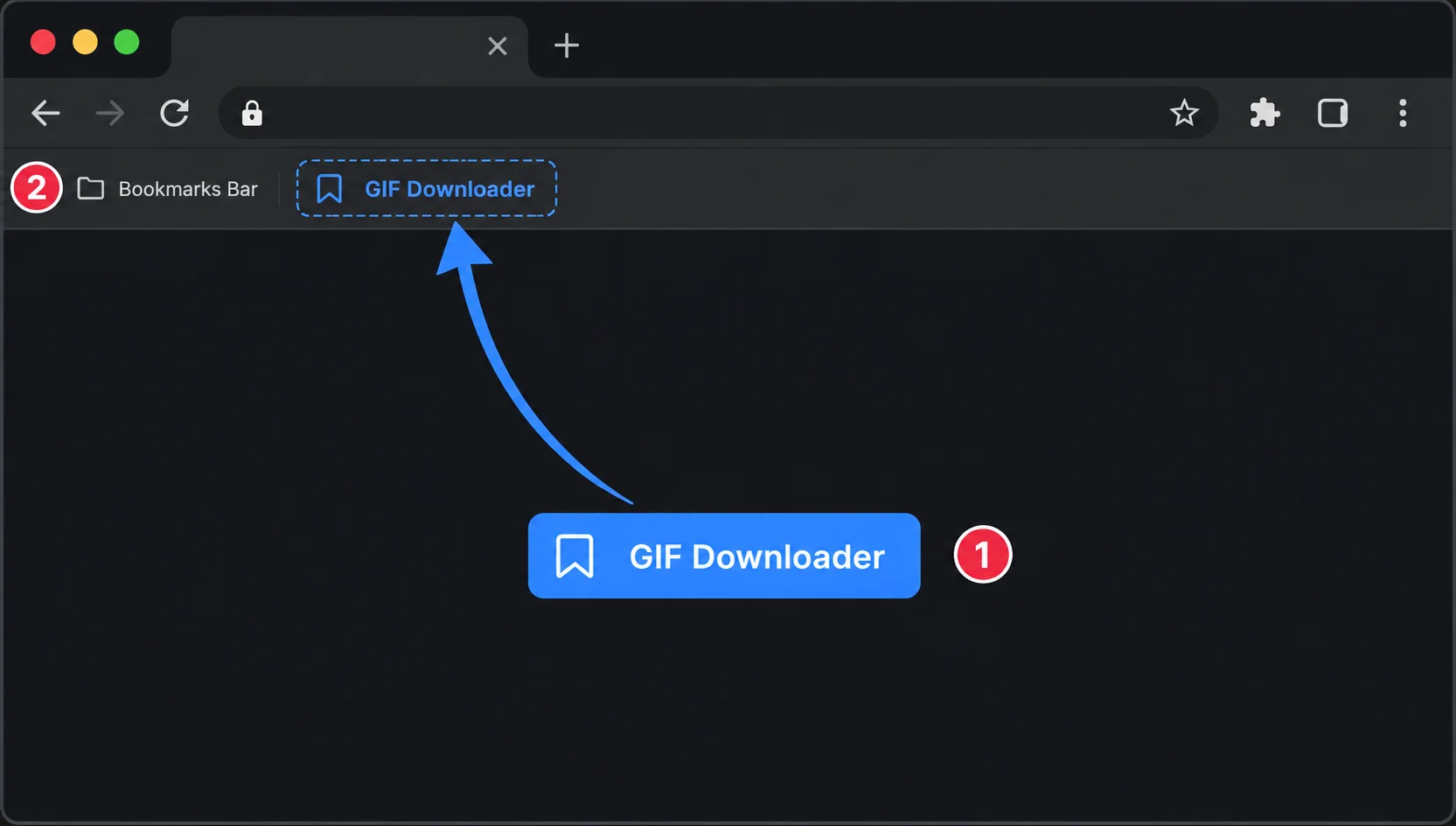
Then open a supported video post and click the saved bookmark to fetch it here.
For desktop browsers with a bookmarks bar. On mobile, copy the post link and paste it into the input above.